
Does your AI get Bitcoin history wrong? Fix it with a free MCP server
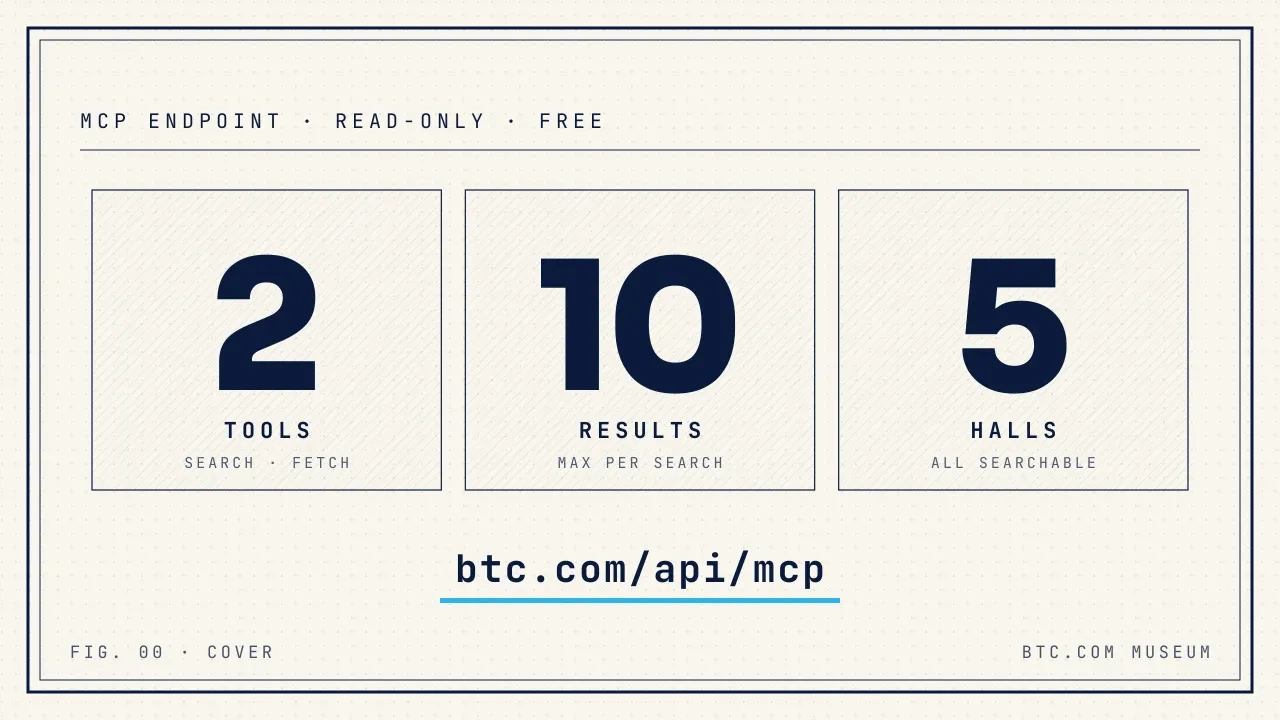
In brief: Add the BTC.com Museum's MCP endpoint, https://btc.com/api/mcp, to your AI assistant. It will then look things up in the museum before answering Bitcoin history questions and link to the museum's own pages. The endpoint is free and read-only, needs no sign-up, and has 2 tools, search and fetch, with up to 10 results per search[1].
Why does AI get Bitcoin history wrong?
An AI answers history questions from text it read during training. Many Bitcoin dates, block heights, amounts and names have been retold so often online that sources disagree about the same event. The assistant blends them into an answer that reads well, and you can't tell where any single figure came from.
With the museum connected, the assistant looks things up first. Our editors write the items, full items list the primary sources they cite, and every result points to a specific museum page[2], so you can check each claim against the link.
What can the museum's MCP endpoint look up?
MCP (Model Context Protocol) is an open protocol that gives AI applications one standard way to connect to outside data and tools[3]. The museum's endpoint follows the 2025-11-25 version of the specification; the current release, 1.0.0, went live on September 30, 2026[1].
Item | Details |
|---|---|
Endpoint |
|
Cost and account | Free, no sign-up, no API key |
Access | Read-only; the assistant can't change museum content |
Tools | search finds items by keyword, fetch reads a full item |
Per search | Up to 10 results |
Content | Narrative items from 5 halls, exhibits, library documents, glossary terms, FAQs, whitepaper sections, blog posts |
Endpoint languages | Chinese, English |
Not included | Live prices, block height, price predictions, investment advice |
The assistant runs search to find relevant items, fetch to read their full text and sources, and then puts the museum page links in its answer[1]. Search returns only snippets without sources. A fetched item carries the full text, the page link, the last update date and the source list. Images are listed there too, but only those marked for outside use may appear elsewhere; the rest are licensed for museum pages only, so the endpoint describes them in text[1].

How do I connect the museum to my AI assistant?
The quickest way is to copy this message and send it to your assistant. You can also copy it in one click on Use the museum in your AI assistant[2]:
Please connect me to the BTC.com Museum MCP server.URL: https://btc.com/api/mcp (Streamable HTTP, read-only, no sign-in)Once it’s connected, when I ask about the history, people or ideas of Bitcoin and blockchains, look them up with its search tool first, read the items you use with fetch, and include links to the museum pages in your answer.
Tools that can run commands, such as Claude Code and Cursor, can usually finish the setup from that message. Claude and ChatGPT on the web will tell you where to add it. To add the MCP server directly, you can also use your AI agent’s own MCP feature. In Claude Code, for example, run this one line in your terminal:
claude mcp add --transport http btc-museum https://btc.com/api/mcp
To add it to Claude by hand (interface as of November 2026)[4]:
- Go to Customize → Connectors, click +, then Add custom connector.
- Enter any name, such as BTC Museum, and
https://btc.com/api/mcpas the URL. - Under Authentication choose No sign in, then click Add.
- In a chat, open the + menu at the lower left, go to Connectors and switch it on.
Menu names change between versions; for other clients, check their help pages.
What can I ask once it's connected?
Each of these four questions has a matching item in the museum, so they make good first tests:
- When was Bitcoin Pizza Day, and what did the 10,000 BTC buy?
- Why did Bitcoin split by accident in 2013?
- Was Hal Finney Satoshi Nakamoto?
- Why did Mt. Gox collapse?
Adding "use the BTC Museum" to your question helps the assistant pick the right tool[2].
How do I check the answer?
- Open the museum link in the answer, read the original item and look at the primary sources listed at the bottom.
- On disputed topics, such as who Satoshi is, see whether the assistant kept the different views the museum lists, each with its source[1].
- The endpoint won't answer live price or block height questions; use a market site or a block explorer for those[2].
- When you quote it in your own writing, link to the museum page and quote the item itself[2].
- If you find an error in an item or a source, write to editorialoffice@btc.com.
FAQ
Does the museum's MCP cost anything?
No, and there's no sign-up or key[2].
Can the museum see my conversation with the assistant?
No. The assistant sends us only the keywords or item IDs it looks up. We keep those keywords to improve search and fill gaps in the collection. Emails and phone numbers are removed first, IP addresses are not recorded, and the data is deleted after 90 days[2].
Once it's connected, are the AI's answers always right?
No. The assistant can still misread or make mistakes. For anything important, rely on the museum page and the primary sources[2].
Where are the technical details for developers?
The technical documentation covers tool parameters, response format, IDs and rate limits, including up to 120 requests per minute from one IP and 600 per minute per client[1].